


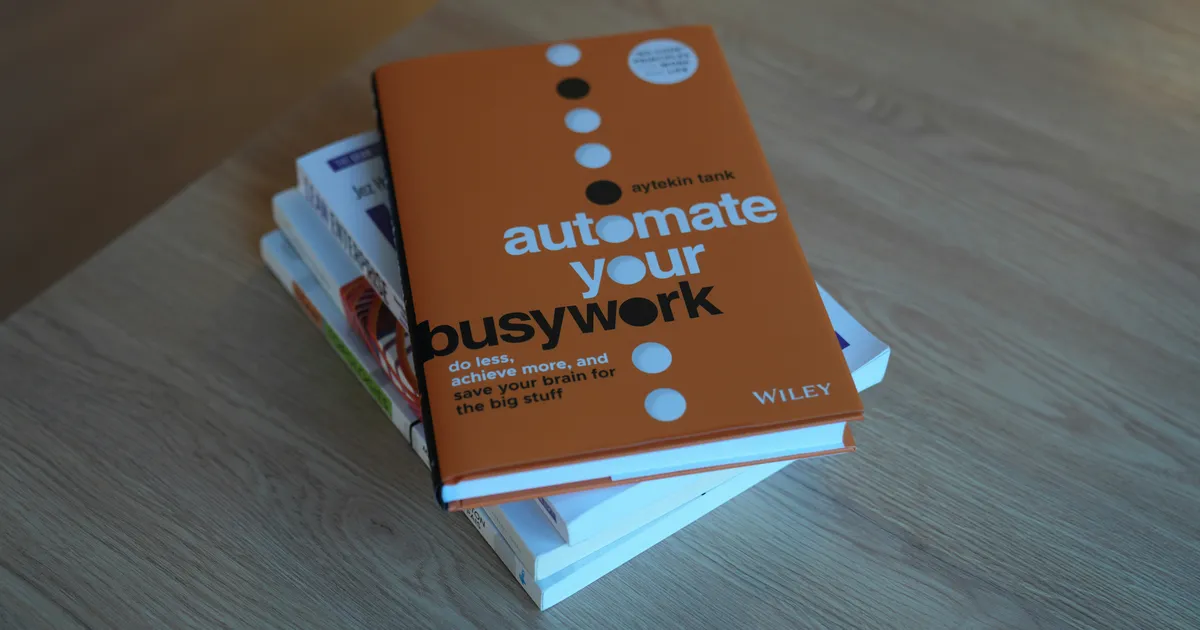
I distinctly remember the overwhelming dread that used to creep in every Monday morning, staring at an inbox overflowing with routine inquiries and administrative minutiae. Hours would vanish before I even touched meaningful work. That was until I decided to take the plunge and truly learn how to automate daily tasks using AI tools step by step beginner guide. It wasn’t an overnight revelation, but a gradual, empowering journey that transformed my workflow and, frankly, my sanity. What once felt like a futuristic concept is now an accessible reality, liberating countless hours for creativity and strategic thinking. This isn’t just about saving time; it’s about reclaiming your focus and energy, allowing you to dedicate yourself to what truly matters.
Identify Your Automation Opportunities
The first, and arguably most crucial, step in leveraging AI for daily tasks is to meticulously identify which tasks are ripe for automation. Begin by observing your daily and weekly routines. Are there any repetitive actions you perform multiple times? Think about tasks that are rule-based, predictable, and consume valuable mental energy without requiring complex human judgment. Common culprits include scheduling appointments, organizing emails, generating routine reports, data entry, and even drafting initial responses to common queries. I often recommend keeping a simple log for a week, noting every task that feels like ‘busy work.’ You’ll be surprised how quickly patterns emerge.
Once you’ve identified these recurring tasks, categorize them by complexity and frequency. A good starting point is to target high-frequency, low-complexity tasks. For instance, if you spend 30 minutes every day categorizing emails into folders, that’s a prime candidate. If you’re manually transcribing meeting notes, that’s another. Don’t be afraid to think broadly across both your professional and personal life. Automating grocery lists or bill payments might seem small, but these cumulative time savings add up significantly, freeing your cognitive load for more demanding challenges. This initial audit is the bedrock upon which your entire AI automation strategy will be built.
Choosing the Right AI Tools
With your list of automatable tasks in hand, the next challenge is selecting the appropriate AI tools. The market is burgeoning with innovative solutions, and it’s easy to feel overwhelmed. Broadly, AI tools can be segmented by their core function: natural language processing (for text-based tasks), machine learning (for pattern recognition and predictions), computer vision (for image and video analysis), and robotic process automation (for mimicking human interactions with software). For most beginners, focusing on tools with intuitive interfaces and clear use cases is key. Consider what specific problem each tool solves and how seamlessly it integrates into your existing digital ecosystem. Research is paramount here; look for reviews, tutorials, and success stories relevant to your identified tasks.
When evaluating tools, prioritize user-friendliness, scalability, and security. A tool might boast powerful AI capabilities, but if it requires a coding degree to implement, it’s probably not ideal for a beginner’s guide. Look for platforms that offer no-code or low-code solutions. Free trials are invaluable for testing a tool’s capabilities and ease of use before committing financially. Furthermore, consider the tool’s ability to integrate with other applications you already use, like your calendar, CRM, or project management software. A fragmented toolset can negate the benefits of automation. By 2026, we expect even more seamless integrations to be standard, making this evaluation process even more critical.
Evaluating Tool Compatibility
Beyond individual tool features, understanding how different AI tools can work together is crucial for building truly robust automation workflows. Think about API integrations – Application Programming Interfaces allow different software applications to communicate and share data. Many modern AI tools offer extensive API documentation, enabling you to connect them with other services using integration platforms like Zapier or Make (formerly Integromat). This compatibility factor ensures that your automated processes aren’t siloed but rather form a cohesive, efficient system, allowing data to flow freely and triggers in one app to initiate actions in another. Always check for a tool’s integration capabilities before making a final decision, as this future-proofs your automation efforts and maximizes their potential.
Setting Up Your First Automation
Now comes the exciting part: setting up your first AI automation! Don’t aim for a grand, complex system right away. Start small, with a single, straightforward task. A classic beginner example is automating email sorting or setting up a simple content idea generator. For email, you might use an AI-powered email assistant to automatically categorize incoming messages, flag urgent ones, or draft quick replies based on common inquiries. For content, you could feed a few keywords into an AI writing assistant to generate blog post outlines or social media captions. The key is to pick a task that has a clear input, a defined process, and an observable output. This allows you to easily track success and troubleshoot any issues.
Walk through the chosen task step-by-step with your selected AI tool. Most beginner-friendly tools offer intuitive interfaces that guide you through the setup process. Pay close attention to defining your triggers (what initiates the automation) and actions (what the AI tool does in response). For example, a trigger could be “new email from a client,” and the action “move email to ‘Client Projects’ folder and add a task to my to-do list.” Test your automation thoroughly with dummy data or low-stakes scenarios before deploying it fully. This iterative testing phase is critical for fine-tuning the process and ensuring it performs exactly as intended. Remember, even a small automation can yield significant time savings over time.
Optimizing and Expanding Your AI Workflows
Implementing an AI automation isn’t a “set it and forget it” endeavor, especially in the initial stages. To truly maximize efficiency, you must continuously monitor, evaluate, and refine your workflows. Pay attention to the accuracy of the AI’s output – for instance, if your AI email sorter miscategorizes messages, adjust its rules or retrain its model if the tool allows. Refine your prompts for AI writing assistants to ensure the generated content aligns better with your brand voice and specific requirements. Regular review sessions, perhaps weekly or bi-weekly, will help you identify bottlenecks, correct errors, and discover opportunities for improvement. The goal is to make your automations as robust and reliable as possible.
Once you’ve successfully optimized your initial automations, it’s time to think about expansion. Look for connections between your existing automated tasks. Can the output of one AI tool serve as the input for another? For example, an AI that summarizes meeting notes could feed into another AI that drafts follow-up emails. This chaining of automations creates powerful, multi-step workflows that significantly amplify your productivity. As you gain confidence, explore more complex scenarios, perhaps involving data analysis or predictive modeling. The landscape of AI tools is evolving rapidly, and by 2026, we’ll see even more sophisticated, interconnected solutions. Stay curious, keep experimenting, and don’t be afraid to push the boundaries of what AI can do for you.
The Future of AI Automation in 2026
Looking ahead to 2026, the landscape of AI automation is poised for even more transformative changes. We can anticipate AI tools becoming increasingly sophisticated, intuitive, and seamlessly integrated into our daily lives. Expect to see advancements in hyper-personalization, where AI agents understand individual preferences and proactively manage tasks with minimal human intervention. Natural language interfaces will become even more conversational and context-aware, making it easier for non-technical users to design and deploy complex automations using simple spoken or written commands. The line between AI assistants and personal colleagues will continue to blur, as these tools take on more nuanced, cognitive tasks that once required significant human effort. For a deeper dive into these trends, consider exploring reputable sources like the World Economic Forum’s insights on the future of AI.
However, this exciting future also brings a heightened need for ethical considerations and continuous learning. As AI takes on more critical tasks, understanding its limitations, biases, and potential societal impacts becomes paramount. Users will need to remain vigilant, ensuring that automated processes align with ethical guidelines and don’t inadvertently perpetuate biases present in training data. Furthermore, the rapid pace of AI innovation means that continuous learning will be a necessity, not an option. Staying abreast of new tools, best practices, and emerging capabilities will be crucial for anyone looking to harness the full power of AI automation in 2026 and beyond. This journey is about partnership with technology, not replacement.
Key Takeaways
- Start with a Focused Audit: Meticulously identify repetitive, rule-based tasks across your professional and personal life. Prioritize high-frequency, low-complexity tasks for your initial automation efforts to build confidence and demonstrate quick wins.
- Strategic Tool Selection is Paramount: Research and choose AI tools based on their specific function, ease of use, integration capabilities, and security. Always opt for platforms with intuitive interfaces and consider free trials to test their suitability for your needs.
- Begin with Simple, Testable Automations: Don’t overcomplicate your first setup. Pick a single task with clear inputs and outputs, then thoroughly test the automation with dummy data. This iterative approach ensures reliability before scaling.
- Embrace Continuous Optimization and Learning: AI automation is an ongoing process of refinement. Regularly monitor performance, adjust parameters, and actively seek opportunities to chain automations for more complex, integrated workflows. Stay informed about new AI advancements to remain effective.
Frequently Asked Questions
Is AI automation only for tech-savvy people?
Absolutely not! While AI’s underlying technology is complex, many modern AI automation tools are designed with user-friendly interfaces that require no coding knowledge. Platforms like Zapier, Make, and even built-in AI features within common software are making automation accessible to everyone, regardless of their technical background. The learning curve is surprisingly gentle for many basic automations.
What are the biggest risks of using AI for daily tasks?
The primary risks include over-reliance leading to a lack of critical thinking, potential data privacy and security concerns if tools aren’t chosen carefully, and the perpetuation of biases present in AI training data. There’s also the risk of ‘automation gone wild’ if not properly monitored, leading to unintended actions. Always exercise caution, start small, and regularly review your automated processes.
How much time can I realistically save with AI automation?
The amount of time saved varies greatly depending on the tasks you automate and their frequency. For individuals, even automating 30 minutes of daily busy work translates to 2.5 hours a week or 130 hours a year – a significant chunk! For businesses, the savings can be exponential, freeing up employees for more strategic, high-value work. The key is consistent, targeted automation.
Can AI automation replace my job?
This is a common concern, but a nuanced one. AI is excellent at automating repetitive, predictable tasks. It’s less adept at tasks requiring creativity, critical thinking, emotional intelligence, or complex problem-solving. Instead of replacing jobs, AI is more likely to augment human capabilities, shifting roles towards oversight, strategic planning, and the development of new, more complex solutions. Think of AI as a powerful assistant, not a replacement.
Conclusion
Embracing AI to automate daily tasks is no longer a luxury for tech giants; it’s a practical, accessible strategy for anyone looking to boost productivity and reclaim precious time. From streamlining your inbox to generating creative content ideas, the possibilities are vast and continually expanding. By following a step-by-step approach—identifying tasks, choosing the right tools, starting small, and continuously refining—you can unlock a level of efficiency you might have thought impossible. Don’t let the fear of the unknown hold you back. Take that first step, experiment, and prepare to be amazed at how AI can fundamentally transform your daily workflow for the better.